Mastering Your Multi-Device Wellness: The Smartwatch Smart Ring Sync Guide
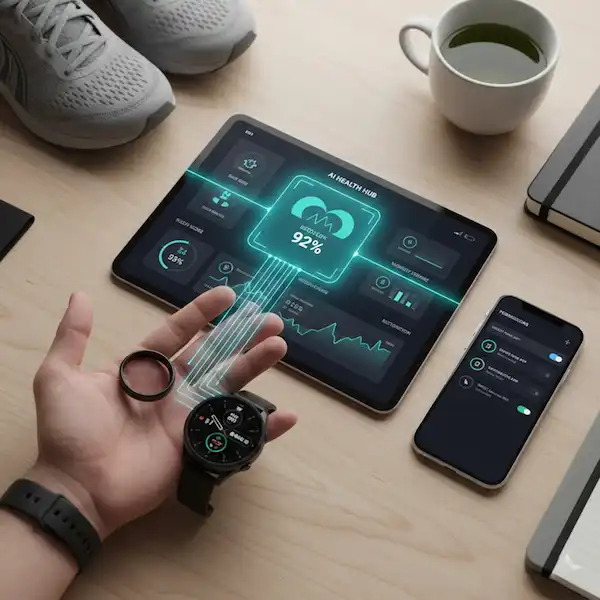
Managing your health data shouldn’t feel like a second job. If you are juggling a high-end watch and a minimalist ring, this smartwatch smart ring sync guide will show you how to blend these two powerful tools into a single, cohesive AI Health Hub without the technical headaches.
The first time I strapped on both a flagship smartwatch and a sleek titanium smart ring, I felt like a low-budget cyborg. I had one device telling me I was overtrained and another claiming I was “primed for peak performance.” It was a mess of clashing notifications and double-counted steps. But after spending months in the trenches of wearable firmware and beta-testing health platforms, I’ve learned that the secret isn’t in the hardware—it’s in how you orchestrate the data flow.
I remember sitting at my kitchen table with three different chargers, wondering why my “Sleep Score” on my wrist was an 85 while my finger insisted it was a 62. It turns out, I hadn’t set up a hierarchy. This smartwatch smart ring sync guide is born from that frustration. I want to save you the three weeks of data-cleaning I had to do by showing you how to make these gadgets actually talk to one another.
Why Two Wearables are Better Than One
In the industry, we call this “sensor fusion.” A smartwatch is phenomenal for high-intensity tracking—the green and red LEDs (PPG sensors) have more surface area to work with on the wrist, which is great when you’re sweating through a HIIT session. But for sleep? A watch is a bulky brick that often catches on the sheets.
That’s where the ring shines. Because it sits on the finger, it’s closer to the digital arteries, providing a much cleaner signal for Heart Rate Variability (HRV) and skin temperature while you sleep. The goal of this smartwatch smart ring sync guide is to help you use the watch for your “active” hours and the ring for your “passive” hours, then merge them into an AI Health Hub that understands your whole day.
The Problem with the “Double-Dip”
If you don’t sync them correctly, your health ecosystem sees two different people. You’ll see:
- Ghost Steps: Your watch and ring both count a walk, and suddenly your app thinks you’ve done 20,000 steps when you only did 10,000.
- Conflicting Readiness Scores: Your ring might see a low HRV and tell you to rest, while your watch sees your high activity and pushes you to “Close your rings.”
Choosing Your “Source of Truth”
The most important rule in this smartwatch smart ring sync guide is picking a “Primary” device. You cannot have both devices fighting for the same metric. Most people make the mistake of leaving every “Write” permission toggled on.
How to set the hierarchy:
- For Workouts: Set your Smartwatch as the primary source. The GPS and real-time screen are essential here.
- For Sleep and Recovery: Set your Smart Ring as the primary source. It is more accurate for nocturnal biometrics.
- The AI Health Hub: Use a neutral third-party “aggregator.” If you’re on iOS, this is Apple Health. On Android, it’s Health Connect.
I personally use a Garmin for my runs but a RingConn or Oura for my sleep. By pointing both of them toward Apple Health and then using an AI-driven app like Bezel or Athlytic, I get a single “human” score that doesn’t feel like a math equation. It takes the guesswork out of whether I should hit the gym or hit the couch.
The Practical Syncing Workflow
You don’t need to be a developer to get this right. I’ve spent way too many hours on developer forums looking for why data “loops” occur, and the fix is actually quite simple. Follow this specific sequence in this smartwatch smart ring sync guide to ensure your data stays clean.
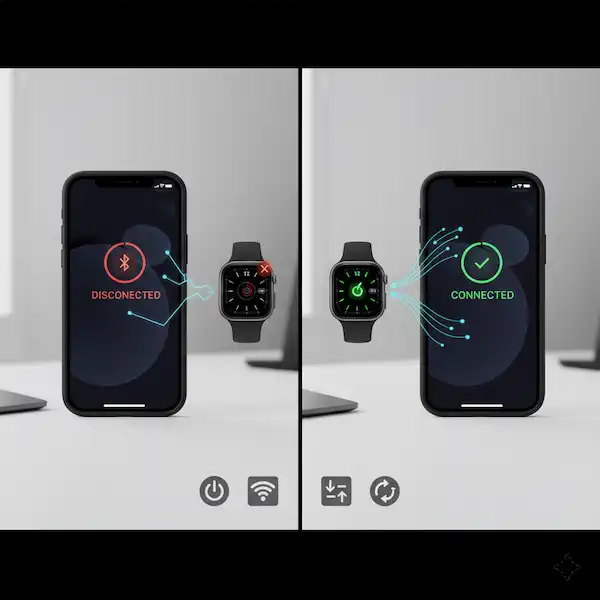
1. The Bluetooth Handshake
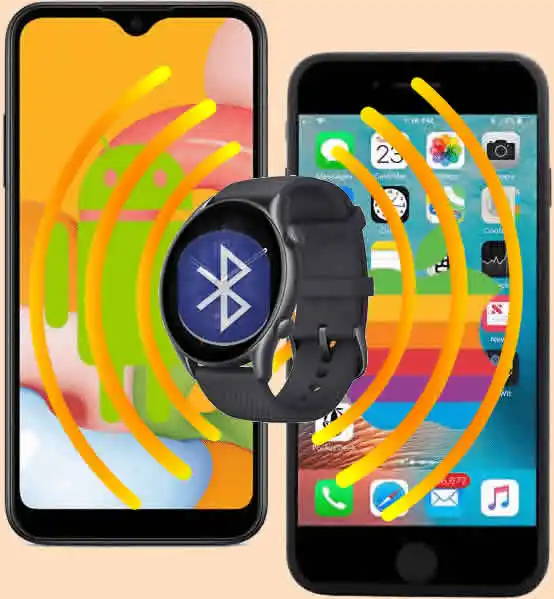
Ensure both devices are paired to your phone, but—and here is an insider tip—disable “System Notifications” for the ring. You don’t need your finger vibrating every time you get an email if your watch is already doing it. This saves about 15% of the ring’s battery life and prevents the Bluetooth radio from staying in a “high-power” state unnecessarily.
2. Enabling “Write” vs “Read” Permissions
In your phone’s health settings (Apple Health or Health Connect), you need to be surgical. Most people just click “Allow All,” which is a recipe for data chaos.
- Ring App: Set it to Write Sleep, HRV, and Temperature. Set it to Read Workouts.
- Watch App: Set it to Write Workouts, Active Calories, and Heart Rate. Set it to Read nothing from the ring.
This prevents the “circular data loop” where an app reads its own data back from the hub and counts it twice. It’s a common glitch I see in mid-tier wearables that haven’t quite mastered the cloud sync yet.
Integrating the AI Health Hub Ecosystem
In 2026, we are moving away from simple “dashboards” and toward “Health Coaches.” An AI Health Hub isn’t just a list of numbers; it’s a model that looks at your smartwatch’s strain and your ring’s recovery to give you advice.
Leveraging Predictive Insights
When your ring detects a 0.5-degree spike in skin temperature (often 48 hours before you feel sick) and your smartwatch shows a rising resting heart rate, a true AI Health Hub will trigger an alert. I remember a trip to London where my ring’s “Stress” indicator spiked while my watch showed my heart rate was normal. It turned out I was coming down with a flu that didn’t manifest symptoms for another two days. The smartwatch smart ring sync guide approach caught it because the devices were sharing insights, not just numbers.
Insider Knowledge: Most people ignore the “Trends” tab. The real value is in the Correlations. If your AI hub shows that every time you have a late-night snack (logged in a nutrition app) your ring’s “Restoration” score drops by 20%, that is actionable intelligence.
The Battery Life Factor
One thing people rarely talk about in a smartwatch smart ring sync guide is how these two interact regarding battery longevity. If your ring is constantly trying to “find” the watch via the phone’s hub, it can drain.
I’ve found that the most stable way to maintain battery is to perform a “morning sync.” When you wake up, open your ring app first. Let it pull the sleep data. Then open your smartwatch app. This “pull” method is much more efficient than letting them “push” data all day long.
If you’re using a device like the Ultrahuman Ring, they have a “Power Plug” feature that actually helps manage how often it pings the phone. Combining this with a smartwatch that has a multi-day battery life creates a “low-maintenance” ecosystem where you only think about charging once or twice a week.
Troubleshooting Common Connection Glitches
No smartwatch smart ring sync guide would be complete without addressing the “Why won’t it sync?” frustration. I’ve been through the ringer (pun intended) with firmware updates that break everything.
- The “Stale Data” Bug: Sometimes your ring won’t update for hours. This is usually due to “Background App Refresh” being throttled by your phone to save battery. Go into your phone settings and ensure your wearable apps are “Unrestricted.”
- The Calibration Period: If you just got a new ring, give it 14 days. Most AI systems need two weeks of baseline data before they can accurately tell if your metrics are “good” or “bad.” Don’t panic if your readiness score is wonky the first week.
- The Ghost Workout: If you see a workout you didn’t do, it’s likely your ring interpreted a vigorous activity (like washing dishes or playing guitar) as a “Functional Strength” session. In your AI Health Hub, you can usually delete the ring’s version of the event and keep the watch’s version.
Why Privacy Matters in Your Sync
When you are sending your heart rate, sleep cycles, and GPS locations to an AI Health Hub, you are creating a very detailed digital twin of yourself. In this smartwatch smart ring sync guide, I always recommend checking where your data is stored.
I prefer companies that use on-device processing or end-to-end encryption. If a wearable app is free and doesn’t have a clear business model, you are the product. Your health data is worth a lot to insurance companies and advertisers. Stick to the “Pro” ecosystems that charge for the hardware or a subscription, as they are more likely to protect your biometrics.
Scaling Your Ecosystem
Once you have mastered the smartwatch smart ring sync guide basics, you can start adding other nodes to your AI Health Hub.
- Smart Scales: These can sync body fat percentage and weight directly to the hub.
- CGMs (Continuous Glucose Monitors): These are the “holy grail” for 2026. Seeing how a spike in sugar (from the CGM) affects your recovery (on the ring) and your workout performance (on the watch) is the ultimate health trifecta.
I tried a CGM for a month and was shocked to see that my “healthy” oatmeal breakfast was causing a glucose spike that made my afternoon workouts feel like sludge. My smartwatch was telling me I was slow, but it was the AI Health Hub that told me why.
Frequently Asked Questions
Q: Will wearing both devices drain my phone’s battery? A: Minimally. Modern Bluetooth (BLE) is extremely efficient. The biggest battery drain is actually having the apps open in the foreground. Let them run in the background.
Q: Can I use a cheap smart ring with a name-brand watch? A: You can, but be careful. Many “no-name” rings use predatory apps that sell your data. Stick to brands that have clear GDPR or HIPAA compliance policies.
Q: Do I need to sync them manually every day? A: Most high-quality ecosystems sync automatically every 15-30 minutes. However, as mentioned in this smartwatch smart ring sync guide, I always do a “force sync” by opening the ring app right after I wake up to ensure my sleep data is processed before I start my day.
Q: What if the step counts are different? A: They will be. Your wrist moves differently than your finger. The AI Health Hub will usually take the higher number or average them out. Don’t sweat the 500-step difference; look at the weekly trend instead.
Q: Can I wear the ring on any finger? A: Most manufacturers recommend the index finger for the best signal, though the middle finger works well too. Avoid the pinky or thumb as the bone structure can interfere with the optical sensors.
Conclusion: The Quiet Revolution of Wearables
The ultimate goal of using a smartwatch smart ring sync guide is to stop looking at your wrist every five minutes. By delegating your health tracking to these two devices, you create a safety net. The watch handles the “loud” data—the sweat, the speed, and the navigation—while the ring handles the “whispers” of your nervous system.
When these two sync perfectly with an AI Health Hub, you stop being a data collector and start being a person who actually understands their body. It took me a few weeks of trial and error to get my permissions right, but now my phone just tells me when I need to push harder or when I need to go to bed an hour early. That’s the real power of a modern wearable ecosystem.
It’s about moving from “What happened?” to “What should I do next?” And with a properly synced setup, you’ll finally have that answer.
Additional Helpful Information
- Read more about smartwatch technology – Understanding Smartwatch Technology and Sensors